System Tray Convenience
Lives quietly in your Windows taskbar notification area. Open and close your notepad with a single click or quick keyboard shortcut without switching windows or interrupting your active work.

Fast, lightweight note taking app that lives in your Windows system tray. Jot down thoughts, paste snippets, and keep quick notes instantly without interrupting your workflow.
Practical tools designed for fast, frictionless note taking.
Lives quietly in your Windows taskbar notification area. Open and close your notepad with a single click or quick keyboard shortcut without switching windows or interrupting your active work.
Launch instantly with zero loading delay. Capture fleeting thoughts, to-do items, clipboard snippets, or phone numbers the moment inspiration strikes.
A streamlined interface focused entirely on quick writing. No clutter, complex menus, or bloat: just pure writing space ready whenever you need it.
Minimal system resource usage that runs silently in the background. Keep your PC running smoothly without slowing down your computer or consuming memory.
Everything you write is saved automatically as you type. Never worry about losing thoughts or having to remember to press save.
Designed to match your Windows system appearance with dedicated dark and light modes for comfortable reading day or night.
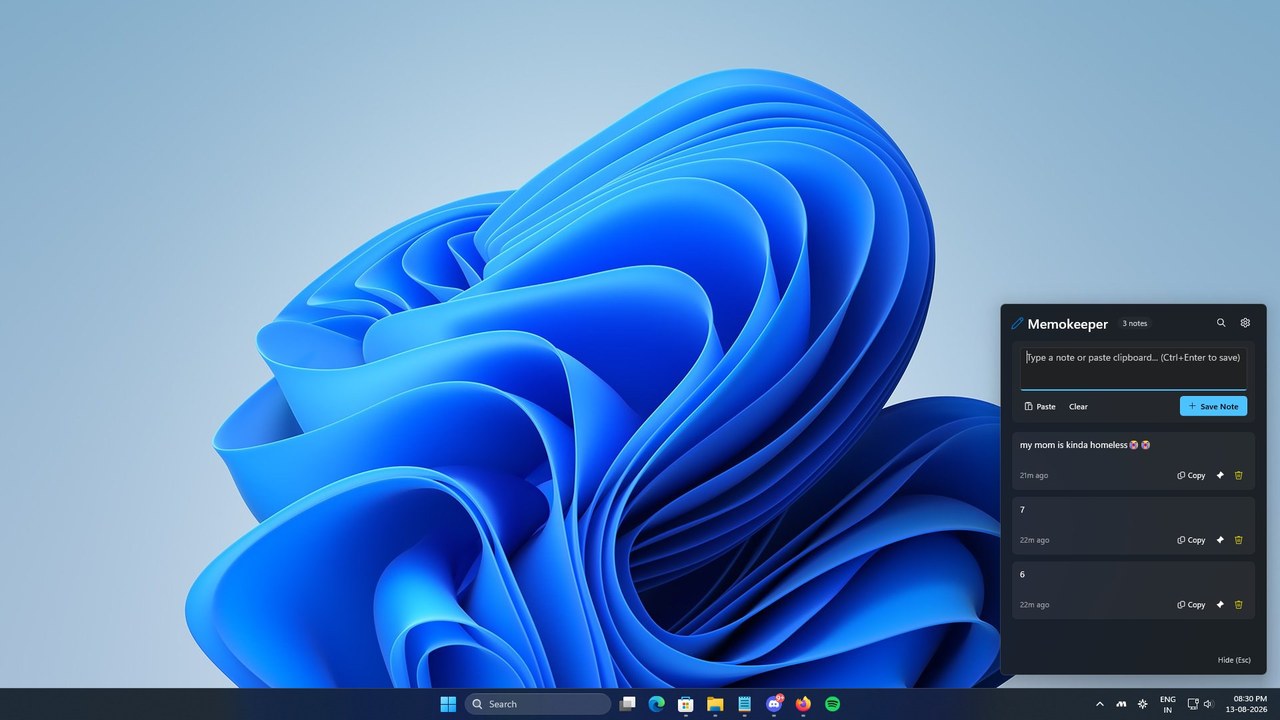
A quick look at Memokeeper in action on Windows.
Answers to common questions about using Memokeeper.
Memokeeper sits conveniently in your Windows system tray (taskbar notification area). Clicking the tray icon opens your notes instantly, allowing you to jot down ideas and dismiss the window without interrupting what you are currently doing.
Memokeeper is fully compatible with Windows 10 (version 1809 and higher) and Windows 11.
Yes. Memokeeper is available directly through the official Microsoft Store for free.
No account is required. Your notes remain saved directly on your Windows PC and work completely offline.