
Everyday Tracking & Visual Comparison
Here is how Odyssey and Trakt compare side by side across four primary entertainment tracking tasks, using actual Google Play Store interfaces:
Watchlist Organization & TV Season Tracking
Organizing ongoing shows, backlogs, and seasonal episode checklists.
Season-by-season checklists with episode counters and five distinct statuses: Watching, Plan to Watch, Completed, On Hold, and Dropped. Tap episode counters to log updates instantly.
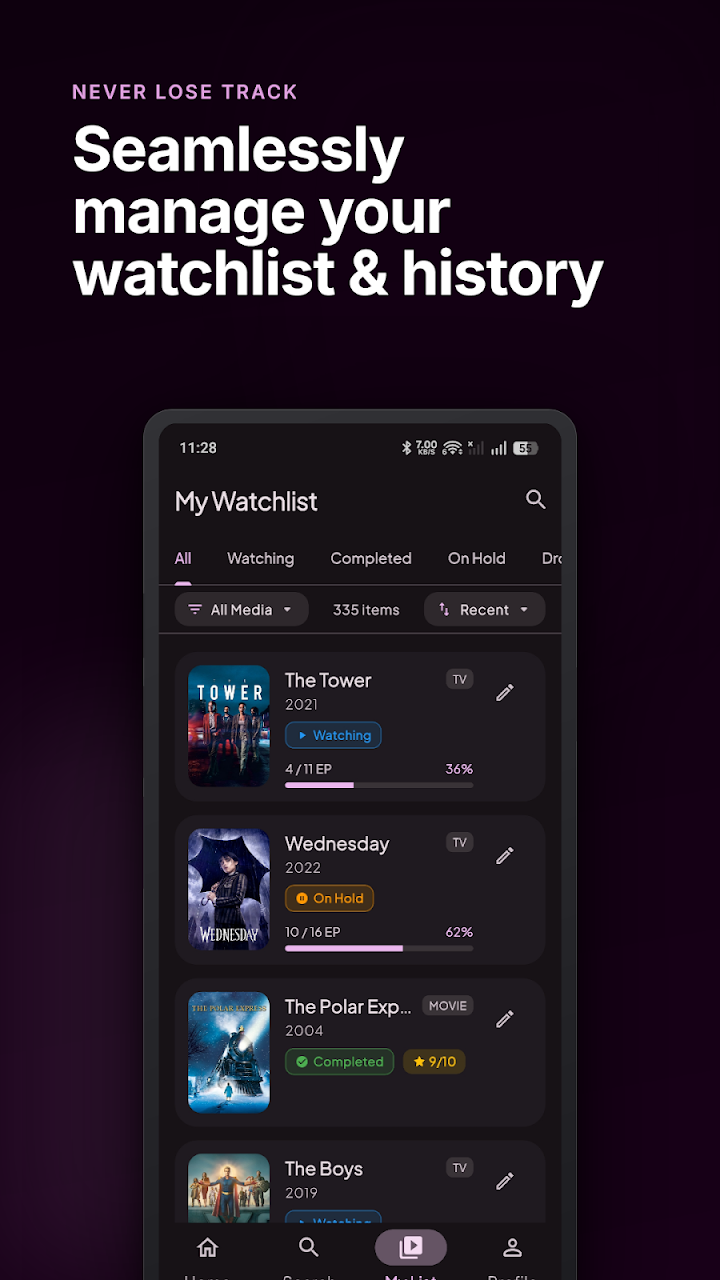 Odyssey: Status tabs & season progress
Cloud-synced Up Next queue with overall show progress percentages, upcoming episode release schedules, and tap-to-watch check-in buttons synced across all your devices.
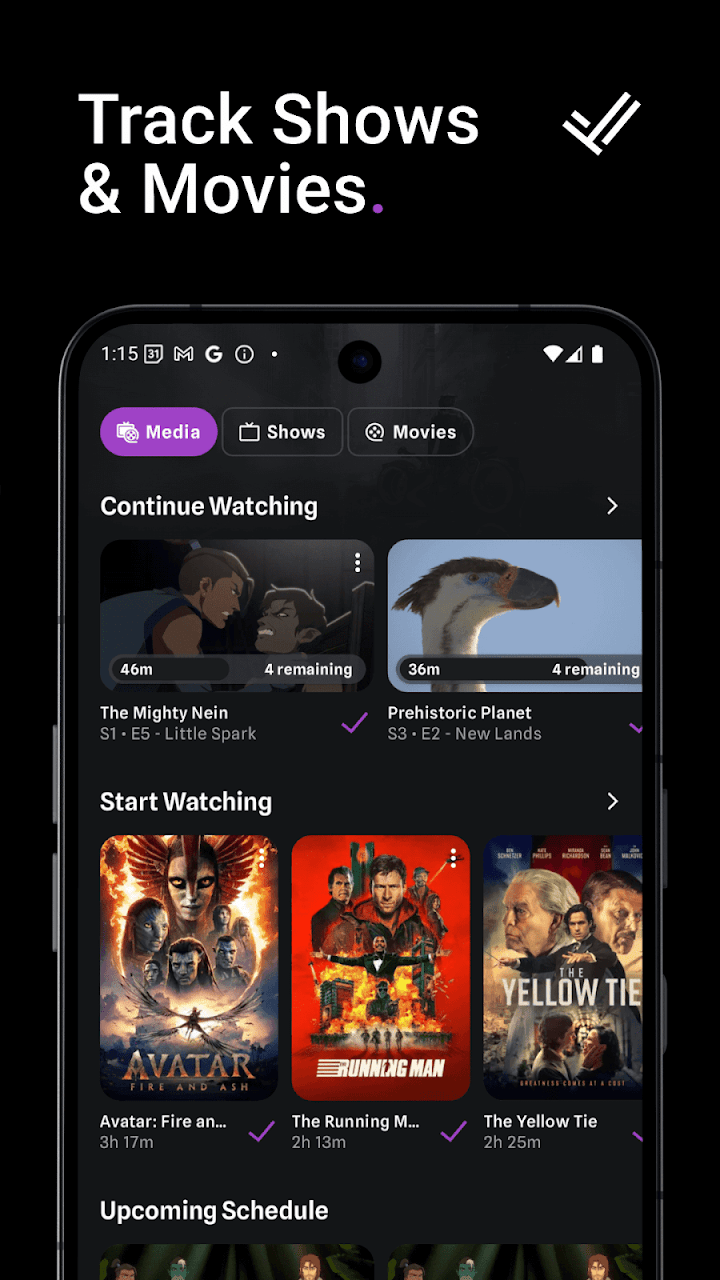 Trakt: Up Next queue & check-ins
Title Details & Streaming Guide
Exploring cast, ratings, plot synopses, and discovering where to stream.
Detailed title overview with full cast and crew lists, community ratings, runtime, and country-specific streaming providers powered by JustWatch.
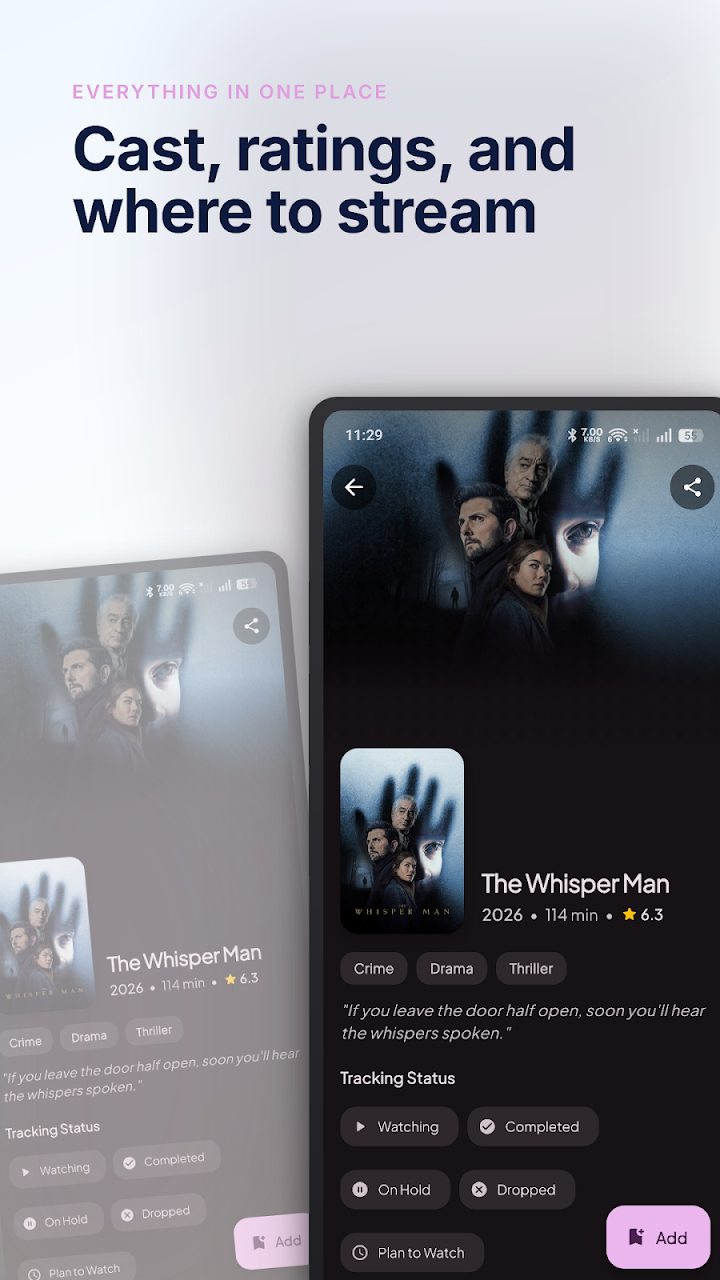 Odyssey: Cast, ratings & where to stream
Complete show details featuring JustWatch streaming links, multi-platform ratings breakdown, and community review threads.
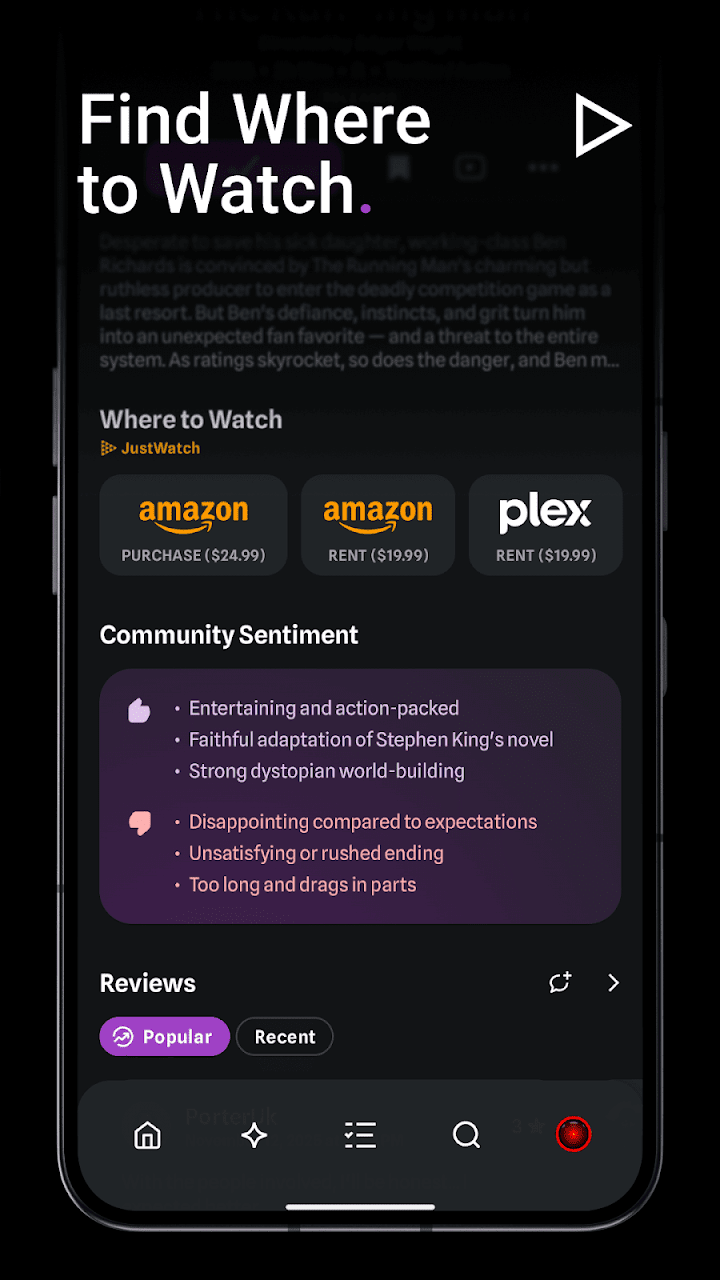 Trakt: Where to watch & reviews
Discovering Movies & Series
Finding what is popular, upcoming, or trending across cinema and streaming.
Clean discover rows for trending movies, popular series, upcoming theatrical releases, and top-rated titles without algorithmic clutter.
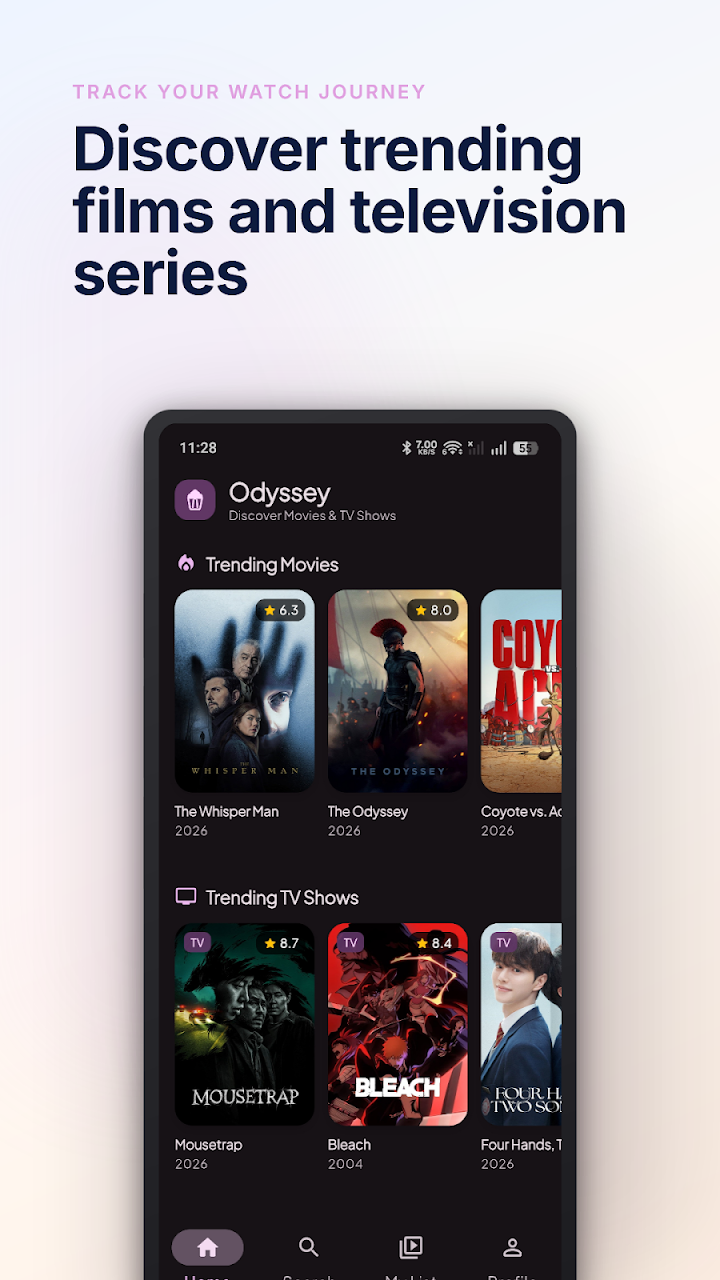 Odyssey: Trending movies & series
Real-time global trending rankings based on millions of community scrobbles, release calendars, and user-curated lists.
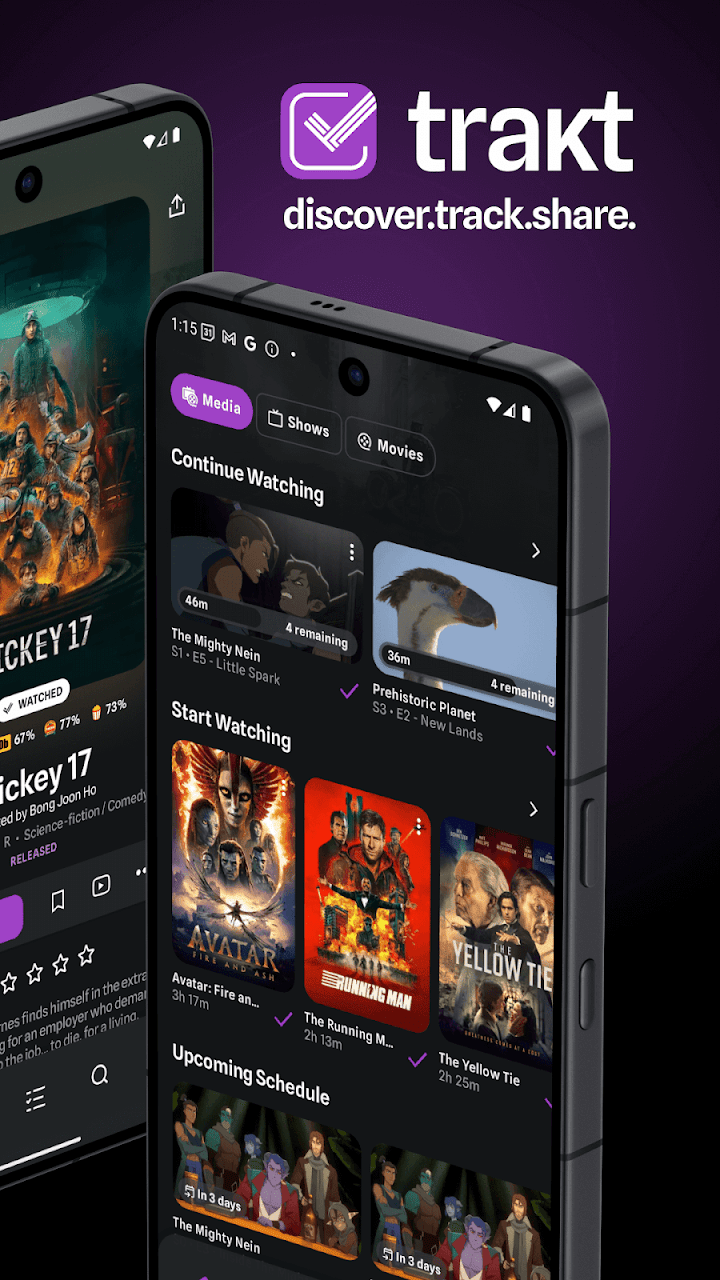 Trakt: Community trending & schedule
Watch Stats & Viewing Insights
Reflecting on personal watch time and habits versus cloud community statistics.
Automatically calculates your total hours watched, split between movies and TV series, along with annual recap capsules saved on your phone.
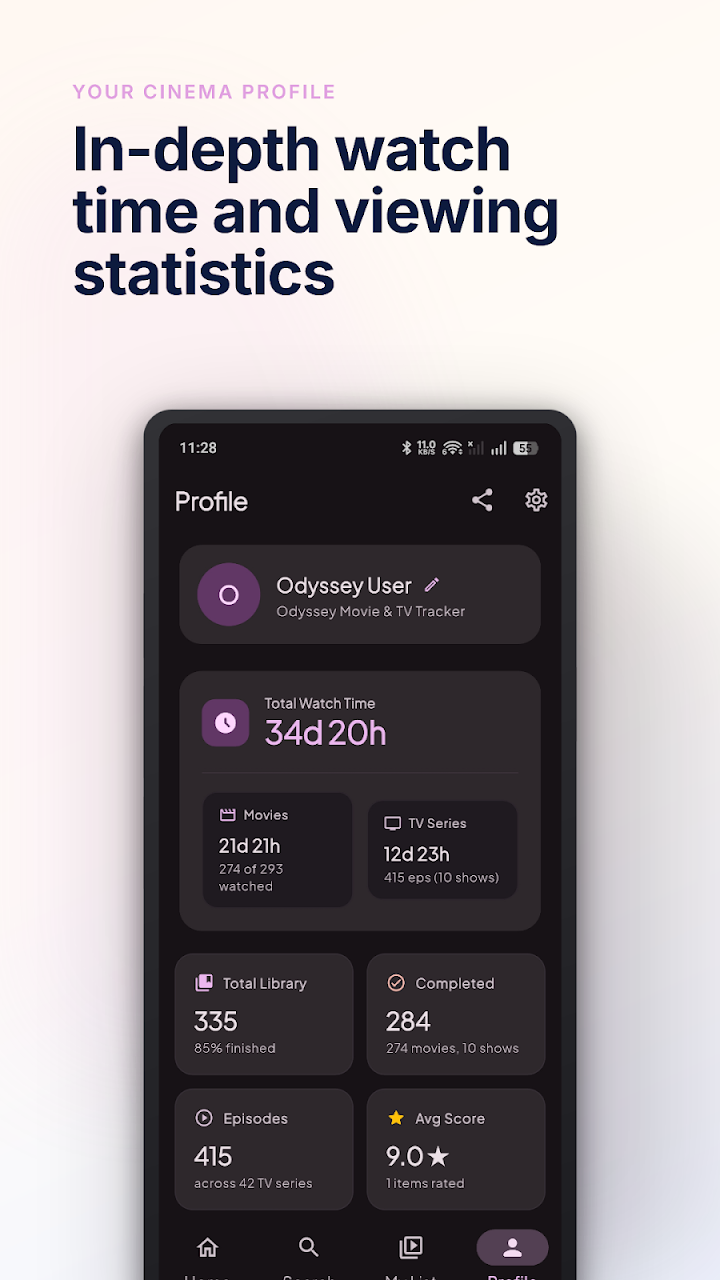 Odyssey: Watch time & viewing stats
Aggregate rating distributions and basic cloud stats. In-depth all-time analytics, historical timelines, and Year in Review require Trakt VIP.
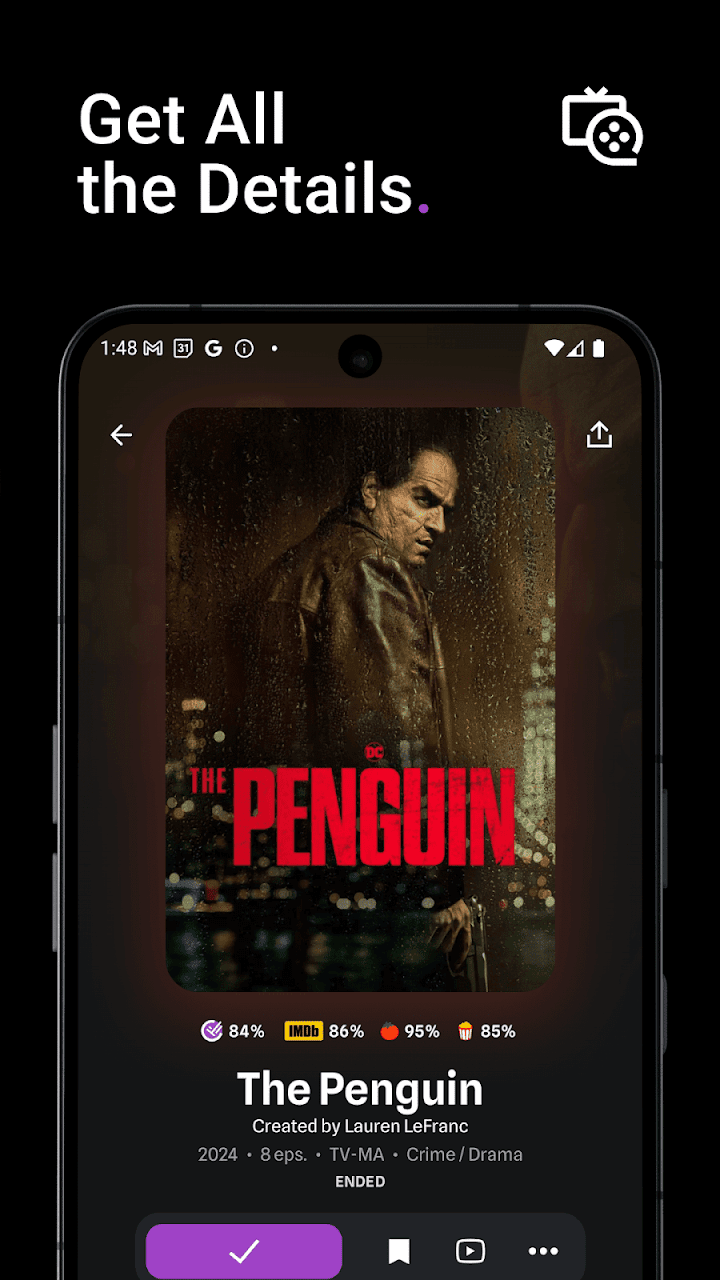 Trakt: Ratings & cloud stats
Feature Comparison
| Feature | Odyssey | Trakt |
|---|---|---|
| Supported Platforms | Android | Web Browser, iOS, Android |
| Account Required | No account needed | Mandatory account |
| Watchlist Storage | Saved on device (instant access) | Cloud servers (requires active sync) |
| Media Server Scrobbling | Manual logging only | Plex, Kodi, Jellyfin plugins |
| Spoiler Protection | Spoiler Shield (blurs stills & masks plot) | User comment flags only |
| Five Distinct Watch Statuses | 5 statuses (Watching, Plan to Watch, Completed, On Hold, Dropped) | Watchlist & Watched history only |
| Custom Lists | Unlimited custom lists | Up to 5 lists on free tier (max 250 items; up to 100 with VIP) |
| Upcoming Episode Calendar | Built-in release calendar for followed shows | Schedule & calendar (external iCal feeds require VIP) |
| Achievement System | Viewing milestone badges & achievements | No viewing achievement badges |
| Share Movies & TV | Generate share cards for favorite movies & shows | Recap share cards & web links |
| Social Feeds & Comments | Private personal space | Reviews, comments, friend feed |
| Theming & Appearance | Material You | Light & dark themes |
| Data Backup | Private Google Drive & local file export | Trakt cloud sync & web export |
| Cost & Ads | Free (Ad-supported) & optional Premium | Free (Ad-supported) & optional Trakt VIP |
Bringing Your History from Trakt
If you currently use Trakt, you don't need to rebuild your watchlist manually. Odyssey includes a built-in import tool:
Three simple steps to import your records:
- Log in to Trakt on your computer or mobile browser and open Settings > Advanced > Export Now to download your data archive.
- Open Odyssey on your Android device and navigate to Settings > Account & Data > Trakt.tv Import.
- Select your downloaded file to restore your watch history, watchlist, and ratings directly onto your phone.
Which App Should You Choose?
Choose Odyssey if:
Fast, private & focused- You track primarily on Android and value quick, on-device responsiveness
- You want complete privacy with zero account or sign-up needed
- You want to protect upcoming episodes with the built-in Spoiler Shield
- You want clean season checklists with 5 organized watch statuses
- You want unlimited custom lists, an upcoming episode calendar, and share cards
- You enjoy earning viewing badges with the built-in Achievement System
Choose Trakt if:
Automated & multi-platform- You need automatic scrobbling from Plex, Kodi, or Jellyfin
- You access your watchlist from desktop web, iOS, and Android
- You enjoy public reviews, comments, and community lists
- You want cross-device cloud sync and public profile stats
Frequently Asked Questions
Can I import my Trakt watchlist and history into Odyssey?
Yes. Odyssey includes a built-in import tool located under Settings > Account & Data > Trakt.tv Import. You can export your data archive from your Trakt web settings and select the file in Odyssey to transfer your movies, TV series, watchlist, and ratings directly.
Does Odyssey support automatic media scrobbling from Plex or Jellyfin?
No. Odyssey focuses on fast, manual tracking on your phone without connecting to third-party media servers. If automated background scrobbling from home media servers (like Plex, Kodi, or Jellyfin) is required for your setup, Trakt is the appropriate solution.
Does Odyssey require an internet connection to use?
Your saved watchlist and viewing history are stored directly on your phone, so you can open your collection and update episode progress instantly without waiting for a server connection. However, searching for new movies, viewing streaming provider availability, and browsing online catalogs requires an active internet connection.
Are Odyssey and Trakt free to use?
Both applications are free to download and use with advertisements, and both offer optional premium upgrades. Trakt offers an optional paid subscription (Trakt VIP) for expanded list limits and advanced stats, while Odyssey provides an optional Premium upgrade alongside its fully functional free tracking tier.
Can I use Odyssey on iOS, Mac, or in a web browser?
Odyssey is currently built exclusively for Android devices. If you need to manage your watchlist across an iPhone, iPad, Mac, or desktop web browser, Trakt provides multi-platform native apps and a web interface.